
Valio™
Your unfair advantage in every UX conversation.
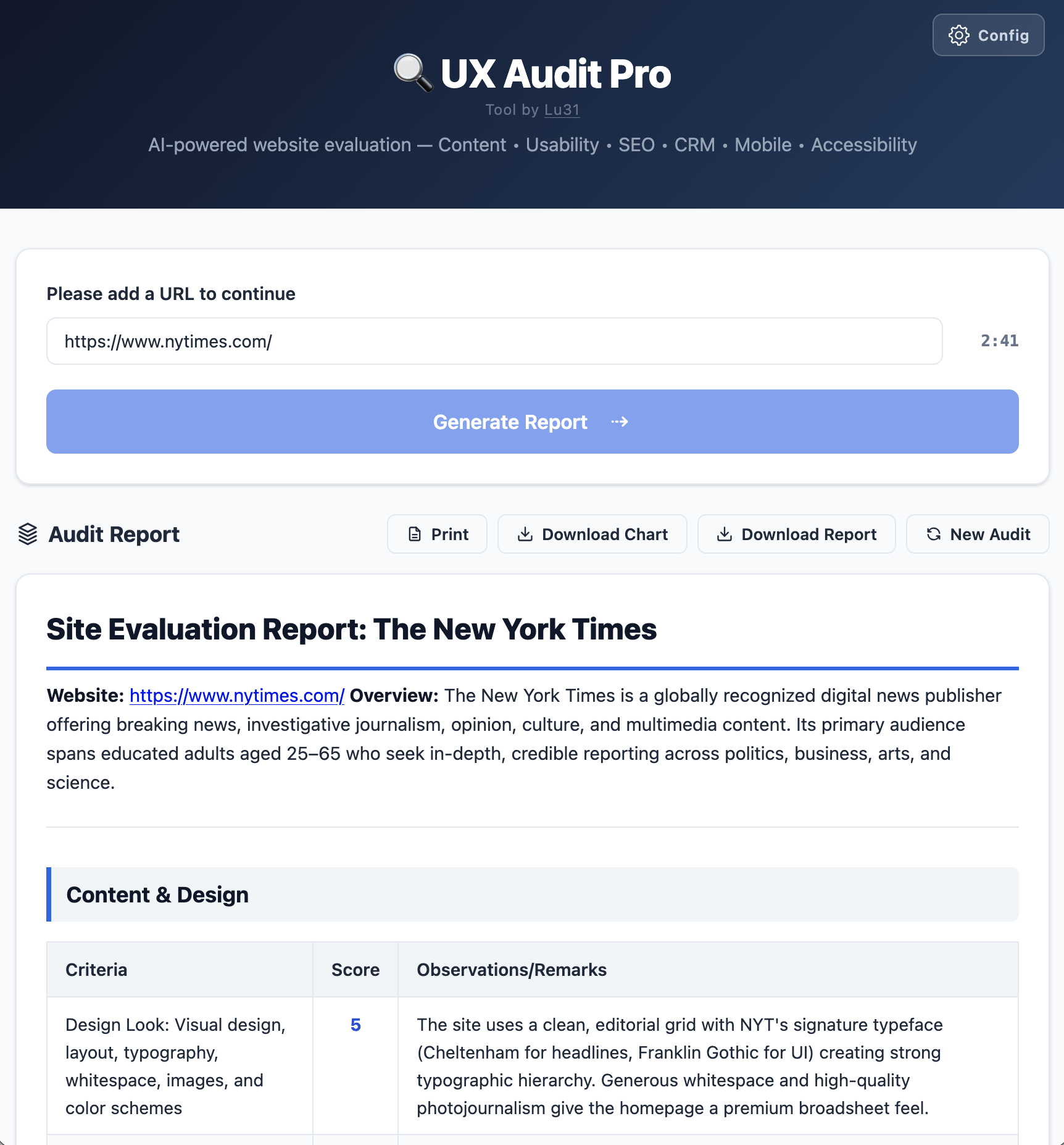
Valio generates a fully scored, 8-section UX report, with a radar chart, detailed observations, and strategic recommendations in under 5 minutes.
The kind of output clients expect
to pay $1,500 for.
What changes when you have Valio
You walk in with data.
Everyone else walks in with opinions. Clients don't push back on numbers. Valio gives you scored tables, section averages, and a radar chart. Valio introduces structured evidence that helps your recommendations land rather than get debated.
8 dimensions. Nothing missed.
Content & Design, Functionality, Heuristics, SEO, CRM, Analytics, Mobile, Accessibility. Every angle a senior UX consultant would cover, score, and document before your next coffee break.
It takes 5 minutes. It looks like it took days.
The output is detailed, structured, and professional. No one needs to know how you got it; they just need to see what it says.
You use your own AI key. No subscriptions, no middlemen.
Run it on Anthropic Claude or Google Gemini. Pay only for what you use. A full audit costs pennies in API tokens, and not $300–$2,000 in consultant fees.
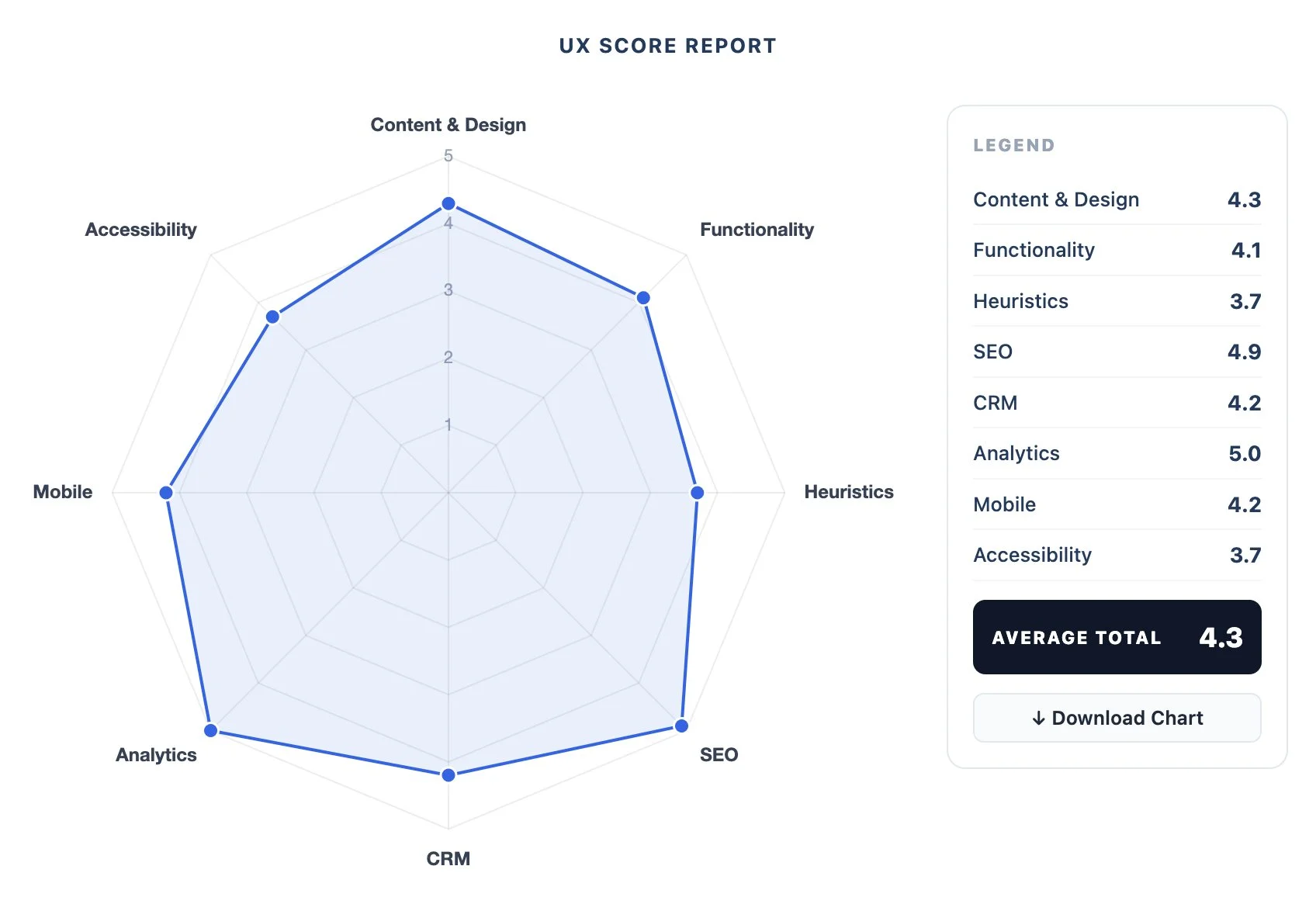
The radar chart does the talking for you.
One visual, eight scores, instant clarity on where a site is strong and where it bleeds. The kind of slide that ends the "where do we start?" debate in the first five minutes of a meeting.
It doesn't replace your expertise. It multiplies it.
Valio doesn't think for you. It gives you a structured foundation to build your own analysis on. You still bring the strategy and the receipts.

Own Valio once.
One-time purchase.
No subscription.
No account.
Yours forever.
Only $99.98 !!→ Get Valio™
(LemonSqueezylink)

Everything in the box
A fully scored report across 8 UX dimensions. criteria tables, scores, and section summaries
Heuristic usability evaluation across 10 Nielsen principles
WCAG 2.1 accessibility scoring
SEO and content effectiveness analysis
CRM, Analytics, and Mobile Optimization Review
A radar chart showing your full UX profile at a glance
Predictive insights, where the site is headed and why
Action-based recommendations; specific, prioritized, ready to share with a client
Downloadable chart and full report export
How It Works
Download:
One HTML file opens in any browser. No install.Connect:
Add your API key from Anthropic Claude or Google Gemini. Free to get, costs cents per audit.Audit
Paste any URL, hit Generate. Your report is ready before your coffee gets cold.
The honest answers
-
No. You download one HTML file, open it in any browser, and add your API key, from either Anthropic Claude or Google Gemini, whichever you prefer. After that, paste any URL and hit Generate. That's the whole thing.
-
An API key connects Valio directly to the AI doing the analysis.
No middleman, no markup.
I recommend Anthropic (Claude). The key is free to get, takes 2 minutes to set up, and costs a few cents per audit. You're paying for intelligence at cost, not retail. -
Yes. That's exactly what it's built for. Run audits on client sites, include the output in proposals, use the radar chart in presentations. The only thing you can't do is resell the tool itself.
-
Accurate enough to be useful, which is the right bar for a 5-minute audit. The scores reflect real UX principles evaluated by one of the most capable AI models available.
They won't replace a 2-week expert audit, but they'll tell you where to look and give you structured evidence to back it up. -
Nothing is stored anywhere. Your URL goes directly to the AI's API and the report lives in your browser tab.
Close the tab and it's gone. No servers, no logs, no account required. -
Email me at lux@lu31.com.
I will respond personally, usually same day. -
A full scored report across 8 UX dimensions, each with a criteria table, scores, observations, and a summary.
Plus a radar chart showing where the site is strong and where it needs work.
Predictive insights and action-based recommendations. Scroll up, the screenshots show exactly what you get.